Key takeaways
- Canned responses are saved replies for questions that come up again and again – the backbone of a fast support inbox.
- They work for predictable, rule-based answers. They break when the reply needs this customer’s order, two issues at once or a judgement call.
- The ten templates below follow what online stores actually receive by email – most of it after the purchase.
- An AI Inbox Agent writes the specific version: it reads the email, looks up the order and drafts the reply in your team’s tone.
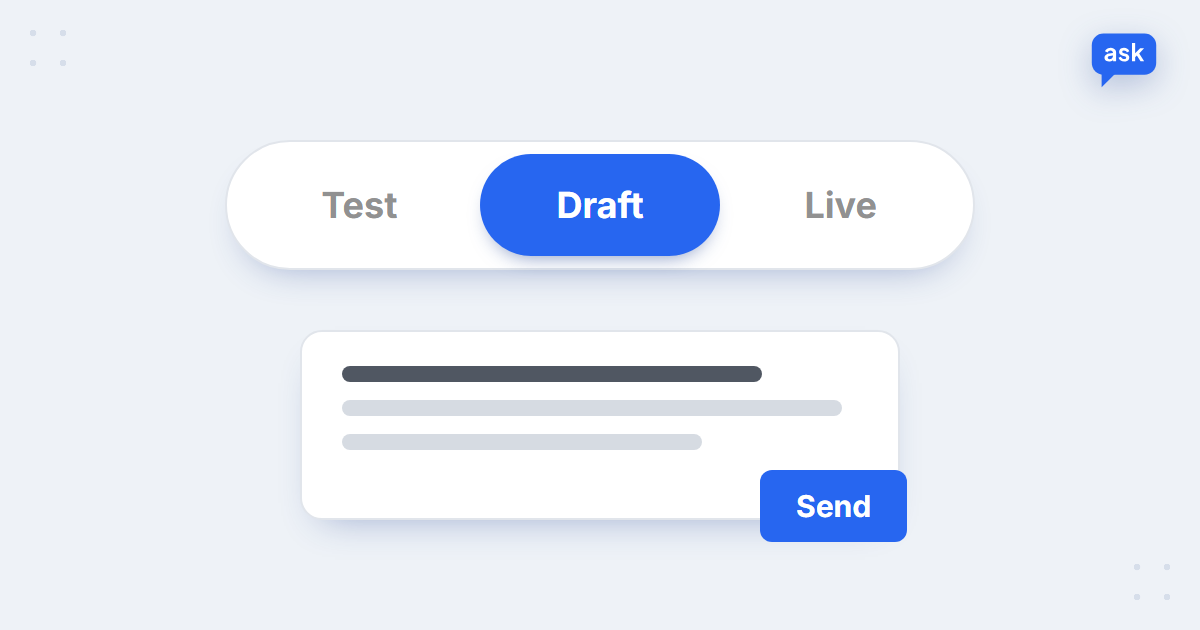
- Start in draft mode – the AI writes, your team checks and sends – and go live only when you trust it.
What are canned responses?
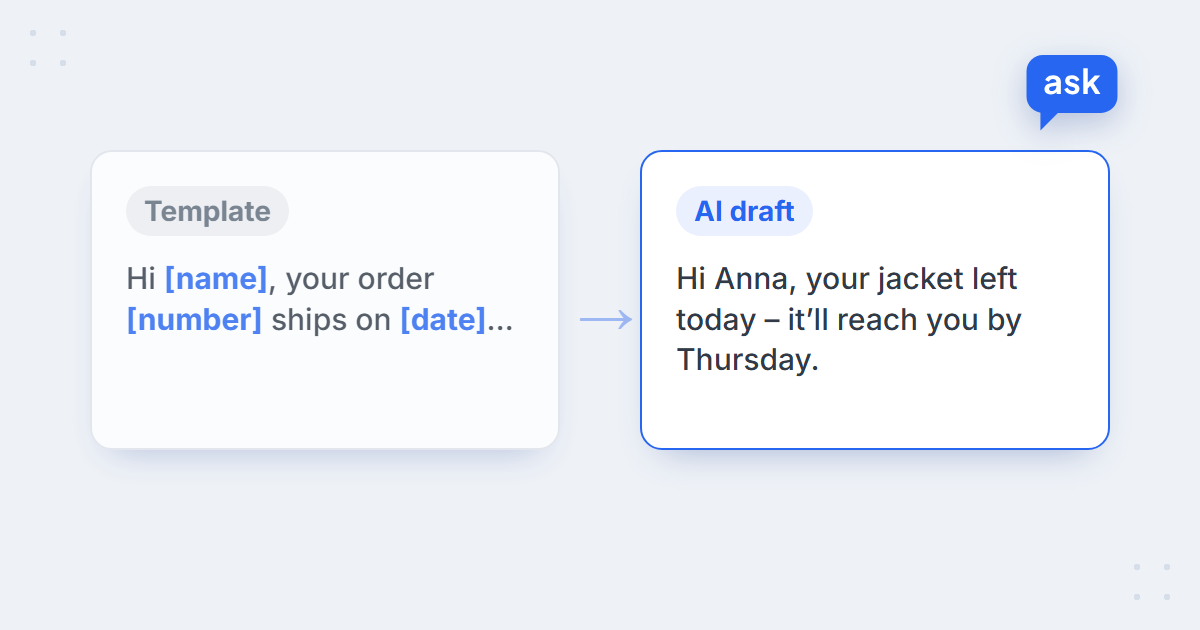
Canned responses are pre-written replies to common customer questions that a support team saves and reuses instead of typing the same answer again. Helpdesks call them macros, saved replies, snippets or templates; the idea is the same. A good canned response has placeholders – [name], [order number], [date] – that the agent fills in before sending.
When canned responses work – and when they don’t
| Canned responses work when… | They fall short when… |
|---|---|
| The answer is the same for everyone – returns window, delivery times, invoice process | The answer depends on this customer’s order, parcel or payment |
| The email asks one thing | The email mixes two issues – a delay and an exchange |
| The tone can be the same for every customer | The customer is upset and a template reads as a brush-off |
| The policy rarely changes | Rules change often and old templates keep circulating |
What support inboxes actually receive
Before writing templates, look at what comes in. Across the online stores running AskSpot’s Inbox Agent, the median store looks like this:
66%
of support emails come after the purchase
53%
of support emails arrive outside Mon–Fri 9–17
33%
of support emails resolved automatically by AI
Median store, AskSpot internal data, 27 Sep – 26 Oct 2026.
Two thirds of the inbox is about orders that already exist: where it is, when it arrives, how to return or change it. Complaints, returns, order status, invoices and cancellations lead the list. More numbers in AI chatbot statistics for e-commerce.
10 canned response templates for e-commerce support
Copy them, replace the [brackets] and adapt the tone to your brand. Under each one: what the template can’t know – the part someone still has to look up.
1. Where is my order
Hi [name], thanks for getting in touch. Your order [order number] left our warehouse on [date] with [courier]. You can follow it here: [tracking link]. Delivery usually takes [X] working days, so it should reach you by [date]. If it hasn’t arrived by then, just reply to this email and we’ll look into it.
What the template can’t know: where the parcel is right now. More on this question: how AI answers “where is my order?”.
2. Delivery delay
Hi [name], we’re sorry – your order [order number] is running late because [reason]. The new expected delivery date is [date]. If that no longer works for you, reply and we can [cancel the order / offer an alternative]. Thank you for your patience.
What the template can’t know: the reason and the new date for this order.
3. Starting a return
Hi [name], no problem – you can return items within [X] days of delivery, unused and in their original packaging. To start, [fill in the return form / reply with your order number and the items]. Send the parcel to [address]; we’ll refund you within [X] days of receiving it.
What the template can’t know: whether this order is still within the return window.
4. Refund status
Hi [name], we received your return on [date] and the refund of [amount] was issued on [date] to your original payment method. Depending on your bank, it can take [X] working days to show on your account.
What the template can’t know: whether the return has arrived and the refund has gone out.
5. Exchanging for another size
Hi [name], happy to help you swap it. Size [size] of [product] is [in stock / currently unavailable]. To exchange, [return the item and place a new order / reply with the size you need and we’ll arrange the swap]. The new item ships as soon as we receive the original.
What the template can’t know: whether the right size is in stock today.
6. Damaged or wrong item
Hi [name], we’re really sorry the item arrived [damaged / wrong]. Could you reply with a photo of the item and the packaging, and your order number? As soon as we have them, we’ll send a replacement or refund – whichever you prefer.
What the template can’t know: what you’ll decide once you see the photos. This one should stay with a person – see how to handle customer complaints.
7. Cancelling an order
Hi [name], [your order [order number] has been cancelled and the refund of [amount] is on its way / your order has already shipped, so we can’t cancel it – but you can return it within [X] days of delivery].
What the template can’t know: whether the order has already shipped.
8. Invoice request
Hi [name], your invoice for order [order number] is attached. If you need it issued to a company, reply with the company name, address and VAT number and we’ll send a corrected one.
What the template can’t know: which invoice belongs to which order.
9. Discount code not working
Hi [name], thanks for letting us know. The code [code] applies to [full-price items only / orders over [amount] / first orders], and only one code can be used per order. [The items in your basket are already reduced, so the sale price is the better deal.] The code stays valid until [date].
What the template can’t know: which rule blocks this particular basket. Discount codes are also one of the top questions in the cart – see why shoppers abandon carts.
10. Item out of stock
Hi [name], [product] is currently out of stock and we [expect it back around [date] / don’t have a restock date yet]. A similar option that’s available now is [alternative product] – [link].
What the template can’t know: which alternative fits what the customer wanted.
Customer service email templates: empathy and technical issues
Two more emails every support team ends up writing: one for a customer who is clearly frustrated, and one for a problem on your side of the screen. For apologies after a mistake, see the apology email templates.
Empathy email for a frustrated customer
Hi [name], I can see this has been frustrating – [the problem in one line]. That is not the experience we want you to have. Here is what I have done: [action]. Here is what happens next: [next step and date]. If anything still is not right, reply to this email and it comes straight to me.
What the template can’t know: what exactly went wrong for this customer – restate it in their words.
Technical issue: payment or site error
Hi [name], thanks for letting us know – [the payment did not go through / the page showed an error] on [date]. [Your card was not charged / The payment is pending and will be released within [X] days]. You can [try again here: [link] / use another payment method]. If it happens again, reply with a screenshot and we will place the order for you.
What the template can’t know: whether the payment was actually charged.
Support ticket response examples: what a good reply includes
Whether a person, a template or an AI writes it, a good response to a support ticket has the same five parts:
- The customer’s name and their order – “Hi Anna, your order…” shows the reply is about them.
- The answer first – the new delivery date or the status comes before any long explanation.
- The reason, briefly – one sentence on why, not a paragraph.
- The next step – what happens now, and what the customer can do if it doesn’t work for them.
- One clear way back – “reply to this email” beats a list of contact channels.
A reply that misses the first two is the one customers forward to a manager. A reply that has all five rarely gets a second email.
From canned responses to AI-drafted replies
Look at the “can’t know” lines again: almost every template needs someone to open the order system before sending. That lookup is the real work – and it’s what an AI Inbox Agent does. It reads the email, recognises what the customer wants, checks the order and your policies, and writes the specific reply – in the tone it learns from your team’s past replies.
| Canned response | AI-drafted reply | |
|---|---|---|
| Who fills in the details | An agent, by hand | The AI, from the order and your policies |
| Two issues in one email | Two templates stitched together | One reply that covers both |
| Tone | The same for everyone | Your team’s tone, adjusted to the message |
| Out-of-date policy | Until someone edits every template | Updated once, in the knowledge base |
| Evening and weekend emails | Wait until the morning | Answered, or drafted and ready |
Customer: “I ordered a jacket on Monday and it still says processing. I need it for a trip on Saturday – will it arrive in time?”
AI draft: “Hi Anna, your order left our warehouse this morning – here’s the tracking link. Delivery takes 1–2 working days, so it should reach you by Thursday, in good time for Saturday. If anything changes, just reply here.”
Your templates don’t go to waste: they become the knowledge the AI answers from. The rules inside them – return windows, invoice process, code conditions – go into the knowledge base once, and every reply uses the current version.
Let AI draft your support replies
Book a short demo – we’ll show the Inbox Agent drafting replies to your own emails, in your helpdesk.
How to move from templates to AI replies
- List your top ten email topics. They usually match the templates above; your helpdesk tags or a week of emails will show the order.
- Write the rules down once. Return windows, delivery times, invoice and discount-code conditions – in plain sentences, not only as templates.
- Connect your helpdesk or marketplace. AskSpot works with Freshdesk, Zendesk, Thulium and Allegro, among others.
- Start in draft mode. The AI writes, your team reviews and sends – see test and draft modes. Switch to automatic replies case type by case type, once the drafts need no edits.
- Measure resolution, not volume. Count the emails actually solved, not the ones that just got an answer – deflection vs resolution rate.
For the bigger picture – what to automate and what to keep with people – see AI customer service for e-commerce.
FAQ
What is a canned response?
A canned response is a pre-written reply to a common customer question that a support team saves and reuses, filling in details such as the customer’s name or order number before sending.
What are examples of canned responses for customer service?
In e-commerce the most useful ones cover order status, delivery delays, starting a return, refund status, size exchanges, damaged items, cancellations, invoice requests, discount codes that don’t apply and out-of-stock items.
Are canned responses bad for customer experience?
Not when they answer the actual question with the customer’s details filled in. They feel cold when they’re sent unchanged to an upset customer or to an email that asks something else – which is why complaints are better handled by a person.
What is the difference between a canned response and a macro?
A canned response is the saved text. A macro, in most helpdesks, is a saved action that can insert that text and also change the ticket – set a status, add a tag or assign it to someone.
Can AI replace canned responses?
It can take over the part templates can’t do: looking up the order and writing the specific reply. The rules in your templates become the AI’s knowledge base. Start in draft mode, where your team reviews each reply, before letting it answer automatically.
What makes a good support ticket response?
It uses the customer’s name and order details, gives the answer first, explains the reason in one sentence, says what happens next and offers one clear way to reply. Those five parts work the same whether a person, a template or an AI writes the response.