Key takeaways
- Most chat questions come before the purchase: which product, which size, what it’s made of.
- Post-purchase questions – order status, returns, complaints – fill the support inbox instead.
- A good FAQ answers both, with a concrete answer, not a link to the terms and conditions.
- The questions differ by category, so build your FAQ from your own shoppers’ questions.
- A FAQ page alone isn’t enough – the answers need to reach the product page and the chat too.
What should an e-commerce FAQ page include?
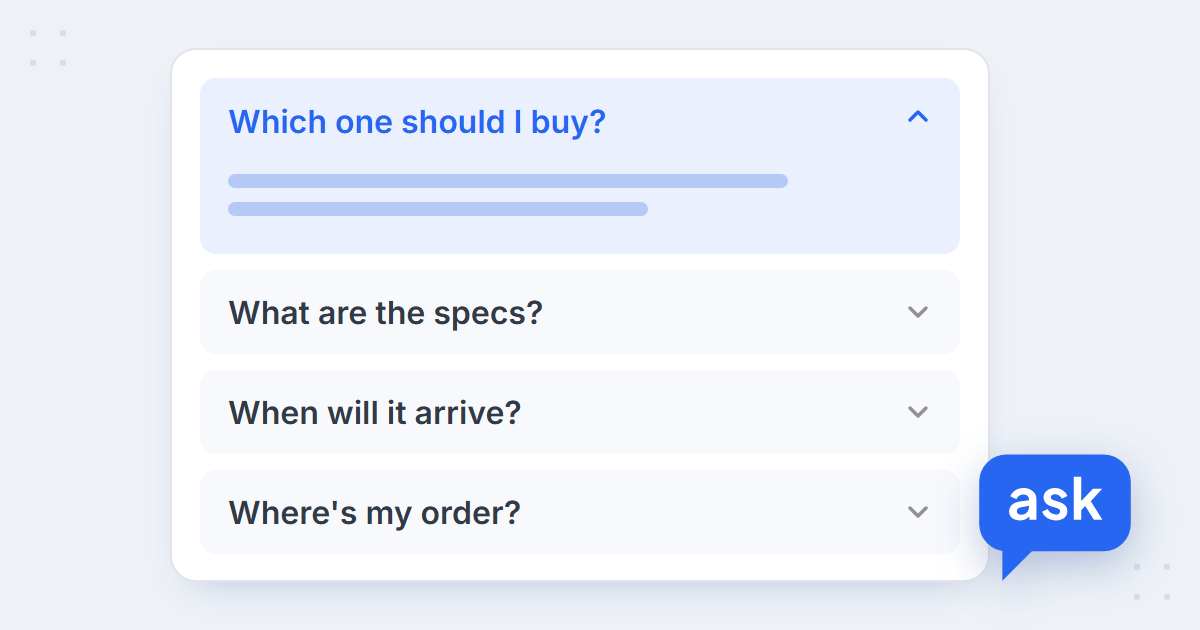
An e-commerce FAQ should answer the questions your shoppers actually ask, in the order they ask them most – each with a concrete answer: a number, a date, a condition. For most stores that means two groups. Before the purchase: choosing a product, specs, fit, delivery terms. After it: order status, returns, complaints and invoices.
The usual FAQ page covers only the second group, because that’s what lands in the support inbox. But the chat window tells a different story: on the median store AskSpot runs on, 74% of chats happen before the purchase. These are the questions that decide whether there will be an order at all.
What shoppers ask – by the numbers
74%
of chats are pre-purchase on the median store
AskSpot Internal Data
28%
of chats ask “which one should I buy?” on the median store
AskSpot Internal Data
66%
of support emails are post-purchase
AskSpot Internal Data
Here is how chat questions split by topic on the median store. A chat can cover more than one topic, so the shares don’t add up to 100%:
| Topic in chat | Median store | Highest store |
|---|---|---|
| Choosing a product – “which one should I buy?” | 28% | 39% |
| Specs and product features | 25% | 39% |
| Purchase and delivery terms | 10% | 27% |
| Asking for a person | 6% | 22% |
| Order status | 5% | 30% |
| Compatibility and fit | 5% | 36% |
| Out-of-stock products | 5% | 8% |
| Discount codes | 3% | 13% |
| Returns | 2% | 10% |
| Complaints | 2% | 7% |
The support inbox is the mirror image: complaints (9%), returns (8%), order status (7%), invoices (6%), cancellations (5%) and courier problems (5%) lead the list. Full figures and method in AI chatbot statistics for e-commerce.
E-commerce FAQ examples by topic
Twenty-seven questions in nine topics, ordered by how often they come up, each with a template for the answer. Replace the brackets with your own details – a FAQ answer without a number or a condition usually just sends the shopper to ask again.
1. Choosing a product
- “Which one is better for [use]?”
- “What’s the difference between [model A] and [model B]?”
- “What would you recommend for a beginner?”
Answer template: “For [use], go for [product] – it [the one reason that matters]. If [condition], [alternative] is the better pick.” These answers depend on the shopper’s situation, so they work best in a conversation, not as a fixed FAQ entry – more in guided selling in e-commerce.
2. Specs and product features
- “What are the exact dimensions?”
- “What is it made of?”
- “Is it waterproof / dishwasher-safe / suitable for outdoor use?”
Answer template: “[Value with unit] – which means [what it means in use].” Give the number and what it means for the shopper: not just “120 cm”, but “120 cm, so it fits a standard alcove”.
3. Delivery and purchase terms
- “When will it arrive if I order today?”
- “How much is delivery?”
- “What’s the minimum for free delivery?”
Answer template: “Orders placed by [time] ship the same working day. Delivery takes [X–Y] working days by [carrier] and costs [price]; it’s free over [amount].”
4. Order status
- “Where is my order?”
- “Has my order shipped yet?”
- “Can I have the tracking number?”
Answer template: “Orders usually ship within [X] working days. You’ll find the tracking link in your shipping email – or give me your order number and email and I’ll check the status now.” A static answer only goes so far here; the real answer is the status of this order, which an agent connected to your order data can look up (how AI answers “where is my order?”).
5. Compatibility and fit
- “Will it fit my [make, model, year]?”
- “Does it work with [device]?”
- “Which size should I take?”
Answer template: “To check, I need [model and year / your usual size and foot length]. [Product] fits [list] – see the full compatibility list on the product page.” On most stores this is a small topic; on car and motorbike parts stores it can be a third of all chats.
6. Stock
- “When will it be back in stock?”
- “Do you have it in size [X]?”
- “Can I see it in a physical store?”
Answer template: “[Product] is [in stock / out of stock]. We usually restock [frequency]; meanwhile, [similar product] is available now.” Always offer an alternative – an out-of-stock answer with nothing next to it is a closed door.
7. Discount codes
- “Why doesn’t my code work?”
- “Can I combine two codes?”
- “Does the code apply to sale items?”
Answer template: “Codes work on orders over [amount], one per order, and don’t apply to [excluded categories]. They’re valid until [date].” List the conditions – that’s what the shopper is really asking about.
8. Returns and complaints
- “How do I return an item?”
- “How long do I have to return it?”
- “My item arrived damaged – what now?”
Answer template: “You have [X] days to return an item. [Steps: form, label, address]. We refund within [Y] days of receiving it. For damaged items, send a photo to [channel] within [Z] days.”
9. Payment and invoices
- “How can I pay?”
- “Can I get a VAT invoice?”
- “Can you add my VAT number after I’ve ordered?”
Answer template: “We accept [methods]. Invoices are sent by email with [the order / the shipment]; to add a VAT number after ordering, [steps / contact].”
FAQ examples by store category
The mix follows the catalogue. These twelve questions come from real AskSpot chats in six store categories – anonymised, translated where needed, and published on our industry pages:
- Fashion – “Which size – 96 waist, 116 hips?” · “Can I exchange for a smaller size?” Size charts with body measurements, and a clear exchange policy.
- Electronics – “Will my PC build fit together?” · “Best dashcam with a rear cam?” Compatibility data and a way to compare models.
- Furniture – “Will the corner sofa fit through my door?” · “Is a topper included with this bed?” Dimensions, including packed sizes, and what’s in the box.
- Car parts – “My car is a 2026 – the covers say 2017–2025. Will they fit?” · “Where has my order got to?” Fitment by model and year, and order status.
- Beauty – “Routine for sensitive skin?” · “Do you ship abroad?” Advice by skin type, and shipping countries.
- Coffee and food – “3 mild beans for latte?” · “Do these tablets fit my Meraki?” Taste profiles, and which accessories fit which machine.
Notice how few of them a generic FAQ page would answer. That is why the best source for your FAQ is your own shoppers’ questions, not a template.
Where each answer belongs
A FAQ page is one place for answers, not the only one. Put each answer where the shopper is when the question comes up:
| Question type | Where the answer belongs |
|---|---|
| Choosing, specs, compatibility and fit | Product page and chat – the shopper is looking at the product |
| Delivery, payment and discount terms | FAQ page, cart and chat – short, with numbers |
| Order status | Chat and support inbox – looked up for the specific order |
| Returns and complaints | FAQ page for the policy, support inbox for the case |
| Invoices | FAQ page for the rules, support inbox for changes |
FAQ page, FAQ software or a FAQ chatbot
Once you have the questions, there are three ways to serve the answers. A FAQ page is a list the shopper reads and searches. FAQ software – a help centre or knowledge base tool – stores and organises the entries, often with search. A FAQ chatbot answers in conversation: a scripted one matches the question to a stored entry, while an AI chat agent answers in the shopper’s words from your FAQ entries, your catalogue and – for order questions – your order data.
Most stores need the page and the chat together: the page for shoppers who prefer to read, the chat for the question the page doesn’t quite answer.
 spot
Turn your FAQ into answers in the chat
Book a short demo – we’ll load your FAQ and catalogue and run the Agent on your shoppers’ questions.
Why a FAQ page isn’t enough on its own
Shoppers don’t go looking for the FAQ page. They ask where they are – on the product page, in the cart, in the chat – and in their own words, not in the wording of your FAQ. So the answers have to live where an agent can use them: in a knowledge base, as short entries the AI answers from. How to structure those entries and keep them current is covered in what to put in a chatbot knowledge base.
Your FAQ page lists the questions you expected. Your chat shows the ones shoppers actually ask.
How to keep your FAQ current
- Read what shoppers ask, every month. Conversation analytics groups chats by topic, so new questions stand out.
- Add an entry for every question that went unanswered. If the chat had to hand over or couldn’t answer, that’s a missing FAQ entry.
- Remove what’s expired. A holiday delivery cut-off still quoted in February is worse than no answer.
- Check the inbox too. Recurring support emails – invoices, cancellations, courier problems – are FAQ entries waiting to be written. The AI Inbox Agent answers them from the same knowledge.
FAQ
What questions should an e-commerce FAQ answer?
The ones your shoppers actually ask. Before the purchase: choosing a product, specs, fit and compatibility, delivery terms and discount codes. After it: order status, returns, complaints and invoices. Your chat and support inbox show which of these come up most.
How many questions should a FAQ page have?
As many as your shoppers need and no more – usually 15–30 grouped by topic. Each one should earn its place by coming up regularly; product-specific questions belong on the product page instead.
Where should the FAQ be on an online store?
A dedicated page linked from the footer and the cart, plus short answers on product pages for questions about the product itself. The same answers should also be in the chat’s knowledge base, so shoppers get them where they ask.
Is a FAQ page or a chatbot better?
They do different jobs. A FAQ page serves shoppers who prefer to read; a chat answers the question in the shopper’s own words and can apply the answer to their order or cart. Most stores need both, built from the same answers.
What is a FAQ chatbot?
A chatbot that answers frequently asked questions in conversation. A scripted FAQ chatbot matches the question to a stored entry; an AI agent answers in natural language from your FAQ, your catalogue and your order data.