Key takeaways
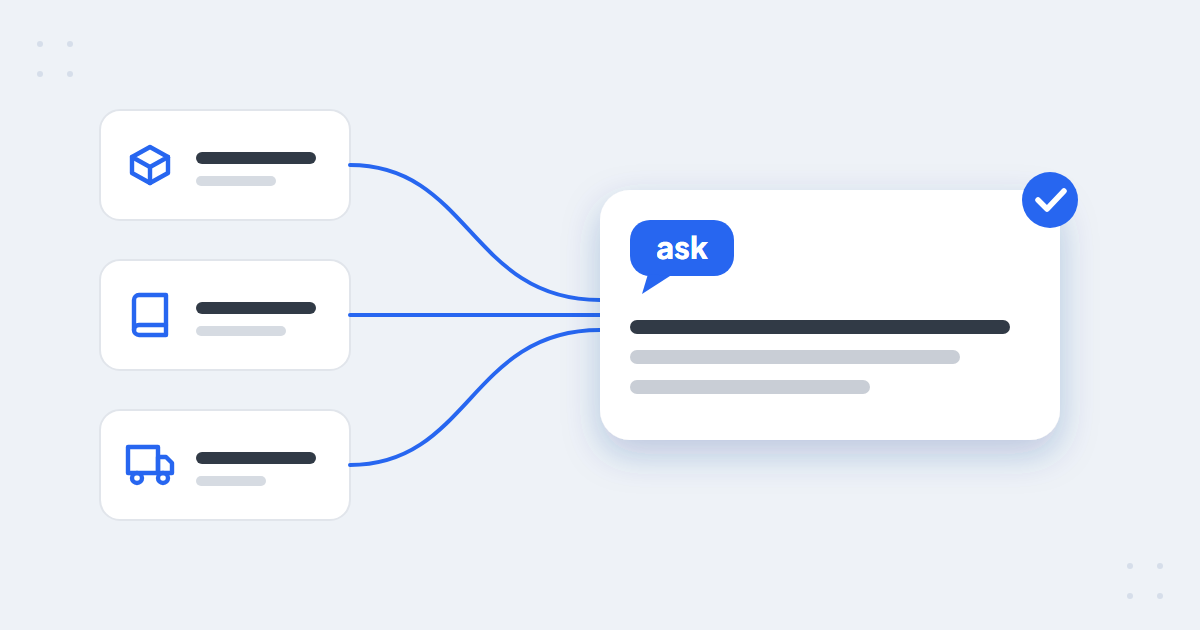
- A chatbot knowledge base holds your store’s policies and recurring answers; products come from the feed and orders from your store’s system.
- Cover what customers ask before and after they buy: delivery, returns, warranty, payments, order changes, sizing, stores and how to reach a person.
- Leave prices and specs out – they belong in the product feed, or the two will contradict each other.
- Write one topic per entry, in the customer’s words, with the conditions and real numbers – and update it whenever a policy changes.
What is a chatbot knowledge base?
A chatbot knowledge base is the library of information an AI chatbot answers from: your policies, the questions customers keep asking and the answers you want given. In an online store it is one of three sources:
- the product feed – products, specs, prices and availability
- the knowledge base – delivery, returns, warranty, payments and everything else about how your store works
- your order system – the status of a specific order
Keeping each kind of fact in one place is what stops a chatbot from contradicting itself – more on that in how to prevent AI hallucinations.
What to put in an e-commerce chatbot knowledge base
Start with the questions customers actually ask before and after they buy. For most stores that means:
| Topic | What to include | A typical question |
|---|---|---|
| Delivery | Options, times per country, costs, free-delivery threshold, order cut-off times | “Will it arrive before Friday?” |
| Returns and complaints | Return window, condition of the item, who pays, how to start a return or complaint | “Can I return it if I’ve opened the box?” |
| Warranty | How long, what it covers, how to claim it | “How long is the warranty on this?” |
| Payments and invoices | Payment methods, instalments, company invoices | “Can I get a VAT invoice?” |
| Order changes | Changing the address, cancelling, adding items – and until when | “Can I still change my delivery address?” |
| Size and fit | Size charts, how items run, how to measure | “Do these shoes run small?” |
| Stores and pickup | Locations, opening hours, click and collect | “Can I pick it up in store today?” |
| Promotions and loyalty | How discounts, codes and points work – the rules, not today’s codes | “Why isn’t my code working?” |
| Contact | When and how to reach a person | “Can I talk to someone?” |
Just as important is what to leave out:
- Prices and product specs. They live in your product feed and change often. Copied into the knowledge base, they go out of date and contradict the feed.
- Time-limited information without an end date. A holiday delivery cut-off still being quoted in February is worse than no answer.
- Your full terms and conditions as one block. Break them into the questions customers actually ask.
How to write entries the AI can use
- One topic per entry. Returns of opened items and returns of sale items are two entries, not one.
- The question in the customer’s words. “Can I send it back?” as well as “return policy”.
- The full answer, with its conditions and exceptions. The 30 days, the original packaging, the exception for made-to-measure items.
- Real numbers, not references. “Delivery in 2–3 working days” beats “see our delivery terms”.
- Links only to pages that exist. The chatbot shows them to customers.
- Written once. The AI answers in the customer’s language, so you don’t need a copy per language – see multilingual customer support.
Where the content comes from
You don’t have to write it all from scratch. In AskSpot, the knowledge base fills up in three ways:
- Your website. AskSpot scrapes your pages automatically – policies, FAQ, guides. You can then edit, add or delete any scraped entry or page link.
- Files. Import data from files, e.g. CSV, XLSX or PDF.
- Q&A entries. Write the questions customers keep asking, with the exact answer you want given.
The AskSpot Assistant in the panel does much of the work: ask it to build your knowledge base from your website or a document, or which questions and answers you should add. And one knowledge base serves both the AI Chat Agent on your store and the AI Inbox Agent in your helpdesk, so you change an answer once and both use it.
 spot
spotSee it answer from your own policies
Book a short demo – we’ll load your pages and show the Agent answering from them.
How to keep it current
- Update it when a policy changes. New return window, new courier, new market – change the entry the same day.
- Give seasonal entries an end date. Black Friday delivery times and holiday opening hours shouldn’t outlive the season.
- Review unanswered questions every week. Conversations marked as needing attention in the panel show what is missing.
- Read the weekly report. The weekly email report lists the most common questions and what is worth improving.
You aren’t doing this alone, either: AskSpot’s customer success team reviews each store’s conversations and flags the weak spots – missing entries, unclear policies – so you can close the gaps.
Five mistakes to avoid
- Pasting in the whole terms and conditions. The AI finds the answer, but customers get a legal paragraph instead of a clear reply.
- Pages that contradict each other. If the FAQ says 14 days and the returns page says 30, the chatbot can’t know which is right.
- Out-of-date seasonal information. Last year’s holiday cut-off still being quoted.
- Prices and specs copied from the feed. Two sources for one fact will drift apart.
- Answers without conditions. “Yes, you can return it” without the 30 days or the exceptions sets up a complaint.
FAQ
What is a chatbot knowledge base?
It is the library of information an AI chatbot answers from – your policies, recurring questions and the answers you want given. In an online store, products come from the product feed and orders from the store’s system; the knowledge base covers everything else.
What should an e-commerce chatbot knowledge base include?
Delivery, returns and complaints, warranty, payments and invoices, order changes, size and fit, stores and pickup, promotion rules and how to reach a person – the topics customers ask about before and after they buy.
How is a chatbot knowledge base different from an FAQ page?
An FAQ page is written for people to read; a knowledge base is written for the AI to answer from. It covers more questions, in the customer’s own words, with the conditions spelled out – and the chatbot answers from it in any language.
Do I need to write the knowledge base in every language?
No. Write it once – the AI answers in the customer’s language.
How often should I update a chatbot knowledge base?
Whenever a policy changes, before every season with special delivery times or opening hours, and after reviewing the questions the chatbot couldn’t answer – once a week is a good rhythm.