Key takeaways
- Freshdesk connects with your Freshdesk URL and the API key of an agent who can work on tickets.
- The API key lives in Profile Settings – and is only available on paid Freshdesk plans.
- You connect it yourself in partners.askspot.io, under the Inbox AI Agents section.
- Choose which tickets the Agent sees (groups, statuses, sources) and start in test mode.
What the connection does
Freshdesk is your helpdesk. Once connected, the AI Inbox Support Agent reads incoming tickets and handles the routine ones – “where is my order?”, returns, delivery questions – in the customer’s own language, around the clock, and passes the judgment calls to your team. You decide which tickets it sees and when it goes live.
Before you start
- A Freshdesk account on a paid plan (the API key is not available on the free plan).
- An agent with permission to work on tickets, whose API key you will use.
Step 1 – Find your Freshdesk URL
Your Freshdesk URL is in the format https://your-name.freshdesk.com.
Step 2 – Copy the API key
- Click your avatar in the top-right corner, then Profile Settings.
- Copy the API Key shown on the profile.
Paid plans only. Freshdesk exposes the API key on paid plans. On the free plan the key is not shown, so the connection cannot be made until the account is on a paid tier.
Step 3 – Connect it in AskSpot
- Sign in to partners.askspot.io.
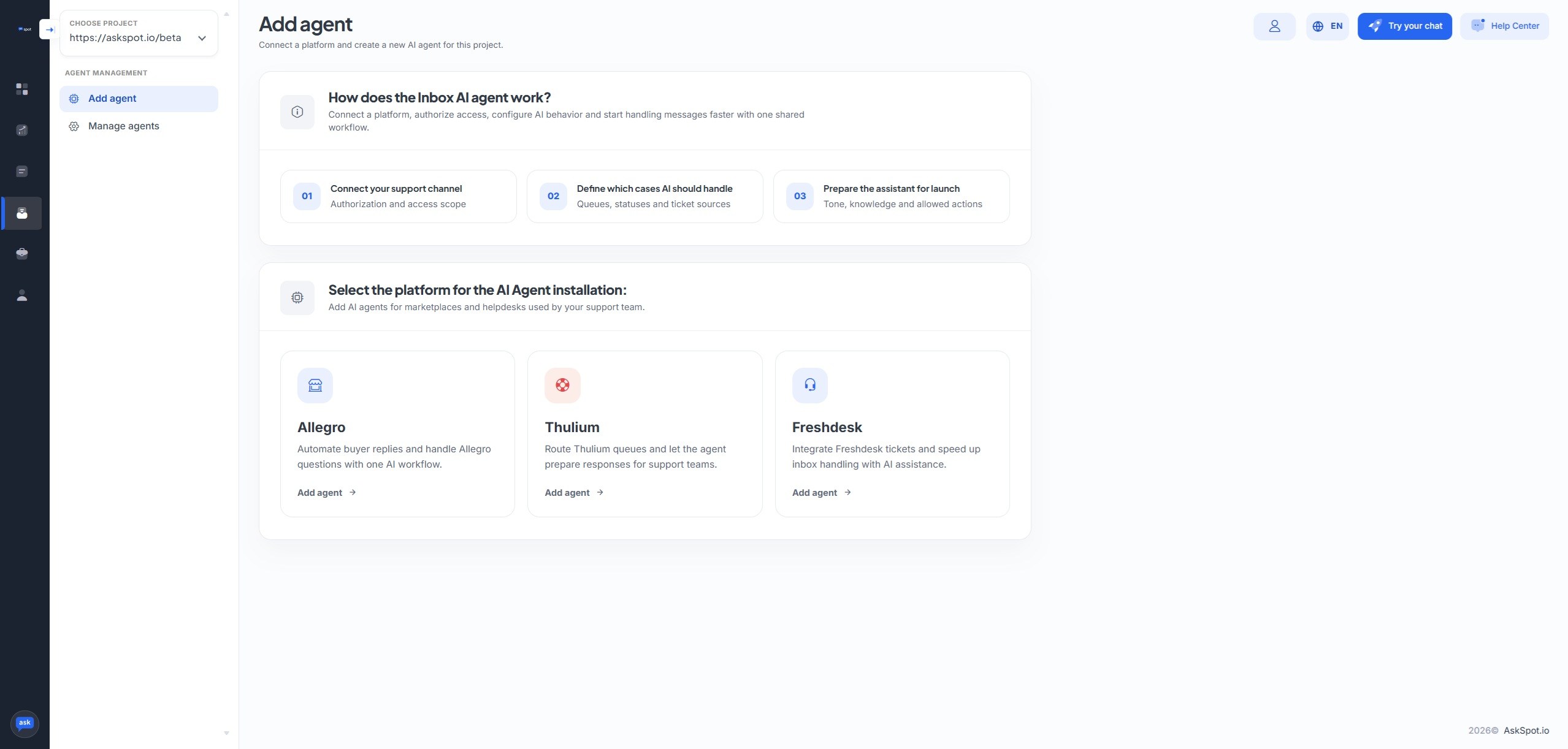
- In the menu, choose Inbox AI Agents.
- Pick Freshdesk as the platform to install the Agent on.
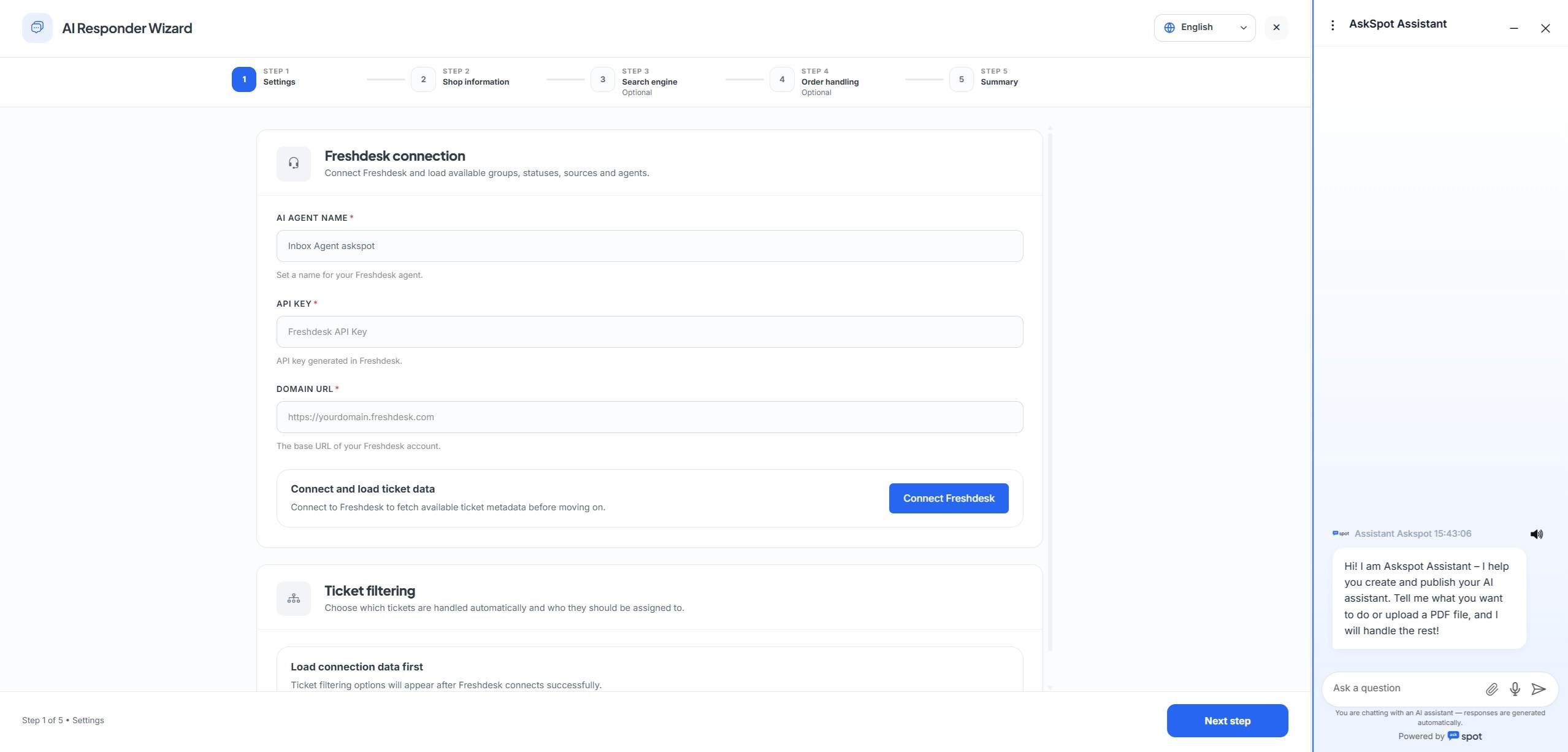
- Fill in your Freshdesk URL and the API key (or login/password per the same idea).
- Choose which tickets are pulled in – select the groups, statuses and sources.
- Save the configuration and enable the Agent. Leave it in test mode to start.
Stuck? Ask the Help center. The AskSpot panel has a Help center in the top-right corner. Tell it what you want to set up and it walks you through connecting and configuring the Agent – you don’t have to do it alone.
That is it – the Agent is connected to your Freshdesk and ready. Start in test mode, review how it replies, then move it to live when you are happy.
For the full rollout ladder – test, draft then live – and more, see the Freshdesk integration.
Do I need a paid Freshdesk plan?
Yes – the API key the connection uses is only available on Freshdesk’s paid plans. On the free plan the key is not shown.
Whose API key should I use?
Any agent with permission to work on tickets. The key is in that agent’s Profile Settings.
Will it start replying to customers right away?
No. You start in test mode and choose which tickets it sees. It only goes live when you switch it over.